Never Miss the Main Event Walkout
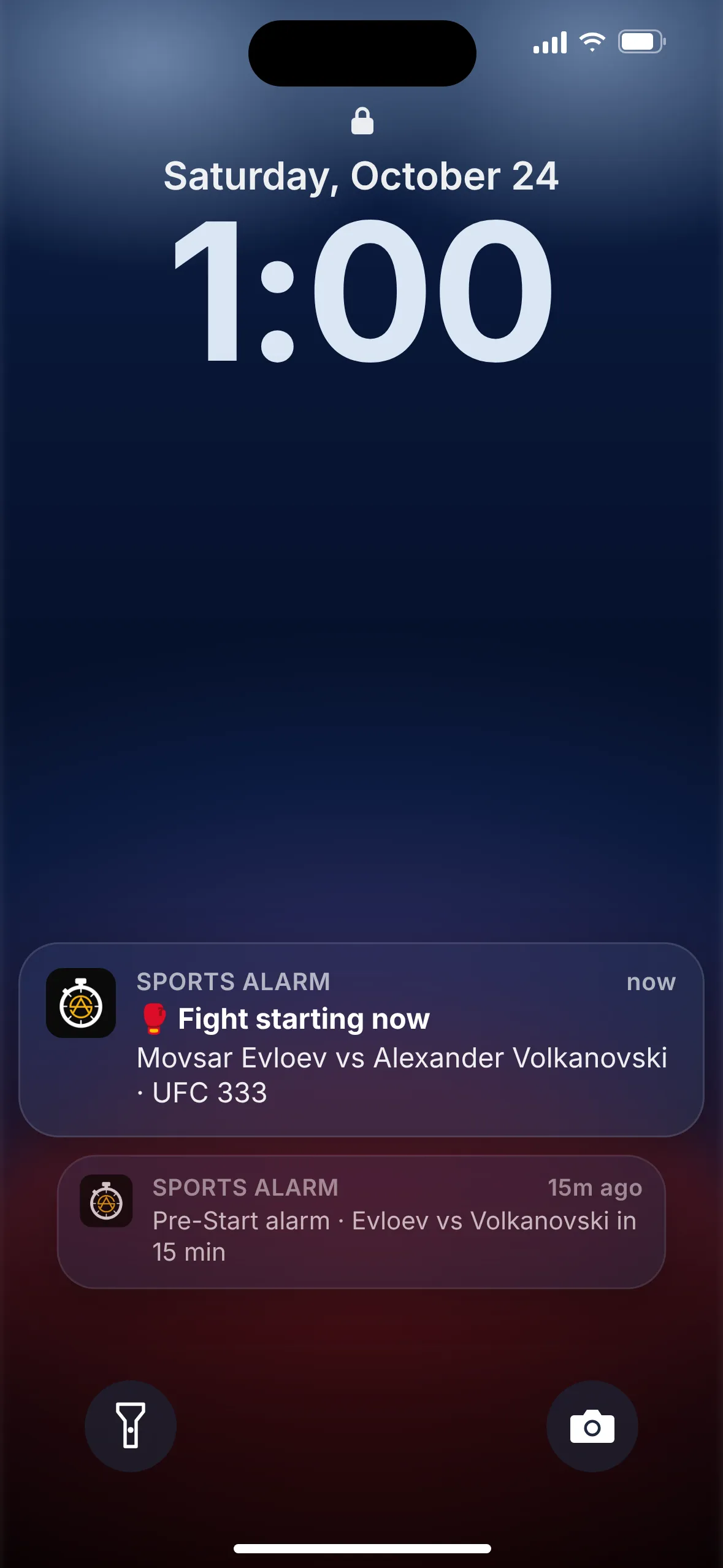
UFC main events don't start at a set time. Sports Alarm watches the card for you and sounds a loud alarm when the fight you care about is about to begin, so you can stop staring at the prelims and still catch the walkout.


Free on iOS & Android · Rated 5.0 ★ on the App Store
Why the main event is so hard to time
A UFC broadcast lists a start time for the card, not for each fight. The main event begins only after everything before it is finished, and nobody knows in advance how long that will take. A run of first-round finishes can move it up; a few fights that go the full distance can push it back a long way.
So most fans end up doing one of two things: sitting through hours of fights they don't really care about, or stepping away and coming back to find the main event already over. Neither is much fun.
International cards make it worse. When an event is held overseas, for example at the Etihad Arena in Abu Dhabi, the fights air at odd hours in the US, sometimes in the middle of the day and sometimes late at night or early in the morning. Sports Alarm uses your phone's local time, and the Fight Starting alarm follows the real action, not a guess.
How it works in 3 steps
Setting a fight alarm takes less time than the referee's instructions.
Pick UFC
Open Sports Alarm and choose UFC from the list of sports.
Open the fight card
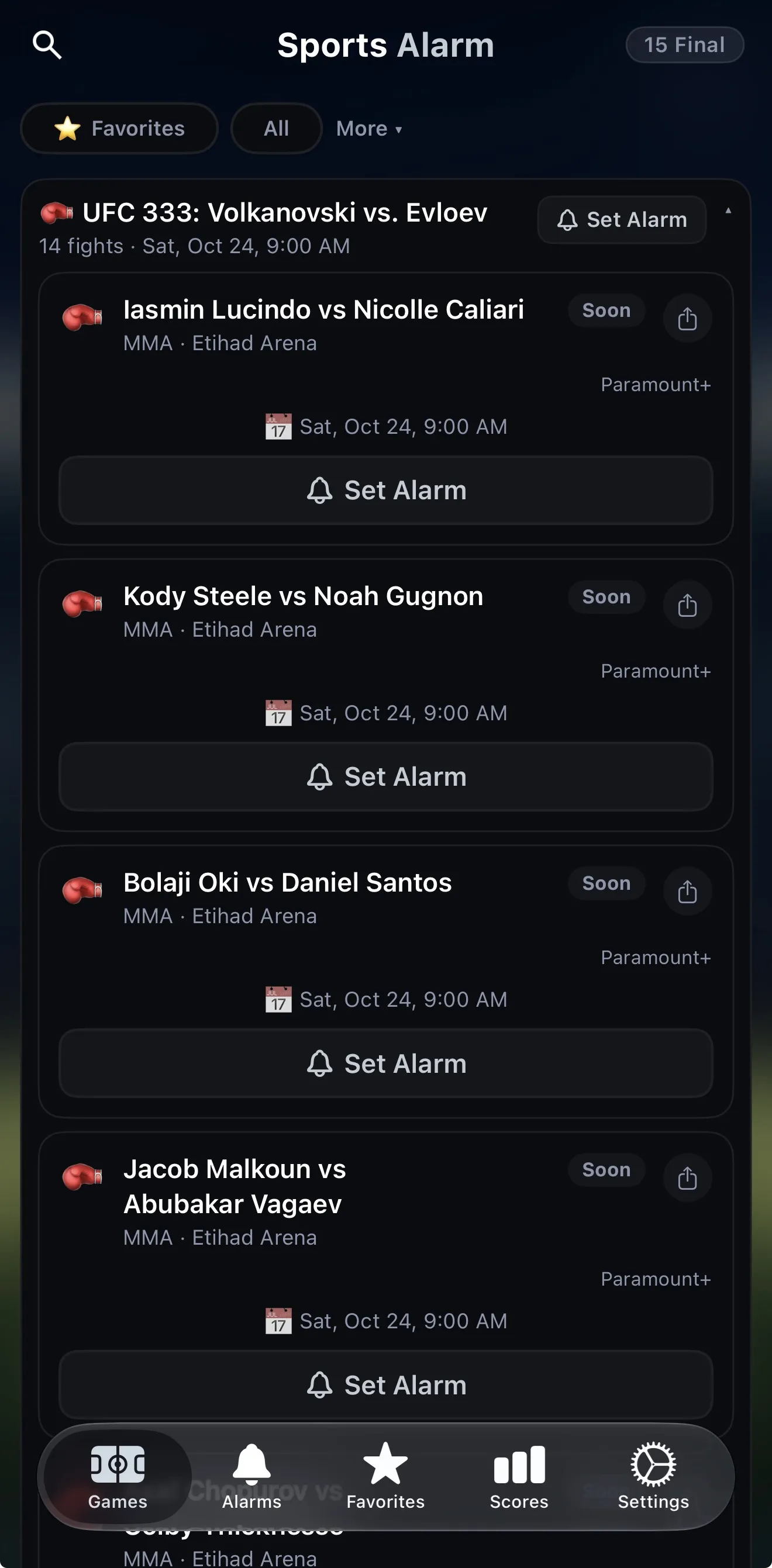
Sports Alarm shows the full card. UFC 333, for example, has 14 fights. Tap Set Alarm on any single bout, or set one for the whole event.
Choose your alarms
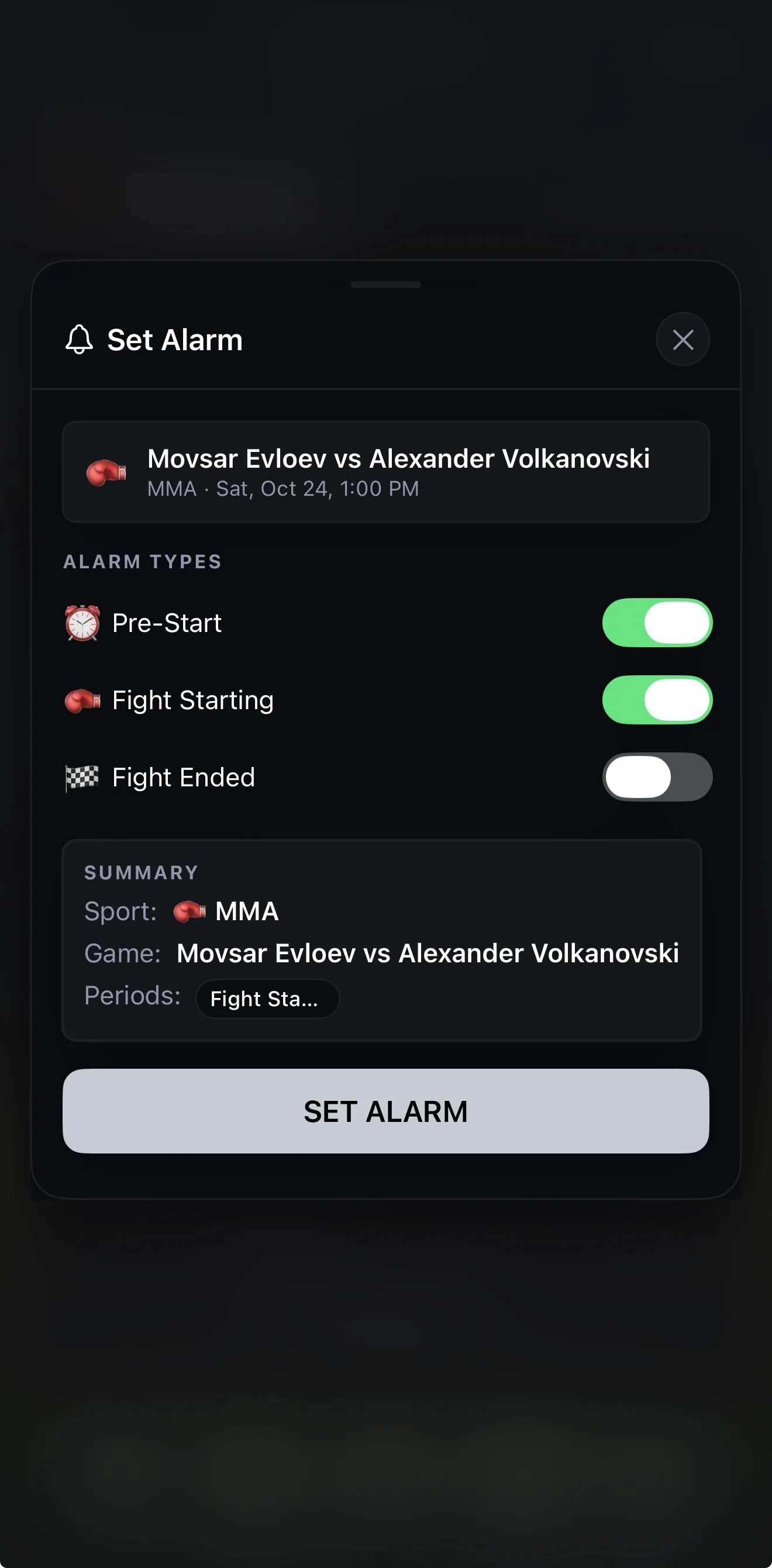
Turn on Pre-Start (15 minutes before), Fight Starting, Fight Ended, or any combination. Then get on with your evening.
Built for fight fans
Sports Alarm does one job: making sure you don't miss the moments you care about.
Alarms per fight
Pre-Start, Fight Starting and Fight Ended alarms for any individual bout, from the early prelims to the main event.
Loud enough to notice
A loud, persistent alarm, not a quiet notification that gets lost on your lock screen. It will wake you if you dozed off on the couch.
Works in the background
Our servers monitor the event and push alerts to your phone, so the app doesn't need to stay open.
Favorites
Save what you follow so it's easy to find on every fight week.
Live scores
Check live scores in the app, and on your Apple Watch if you wear one.
12 languages
Use the app in the language you're most comfortable with.
Not just fight night
The same alarms work across the rest of your sports calendar. Sports Alarm also covers:
UFCNFLNBAMLBNHLMLSEPLNCAAF
UFC FAQ
When does the UFC main event actually start?
There's no fixed start time. The main event begins whenever the fights before it are done, so it depends on how long the rest of the card runs. A string of quick finishes can bring it forward, while several fights going the distance pushes it back. A Fight Starting alarm follows the card for you.
Can I set an alarm for one specific fight?
Yes. Sports Alarm lists the full fight card, and every bout has its own Set Alarm button. You can also set an alarm for the whole event.
What alarm types are there for UFC?
Three: Pre-Start, about 15 minutes before the fight; Fight Starting, when the fight begins; and Fight Ended, when it's over. Turn on any combination.
Will the alarm go off if my phone is locked or the app is closed?
Yes. Sports Alarm's servers monitor the event and push alerts to your phone, so it works in the background. You don't need to keep the app open.
Is Sports Alarm free?
Yes. Sports Alarm is free to download on the App Store and Google Play, and it's rated 5.0 on the App Store.
Does it cover other sports?
Yes. Besides UFC, Sports Alarm covers the NFL, NBA, MLB, NHL, MLS, the Premier League and college football.

Set your fight alarm before the next card
Download Sports Alarm free, open the next UFC card, and let the alarm tell you when it's time.