Never Miss Puck Drop
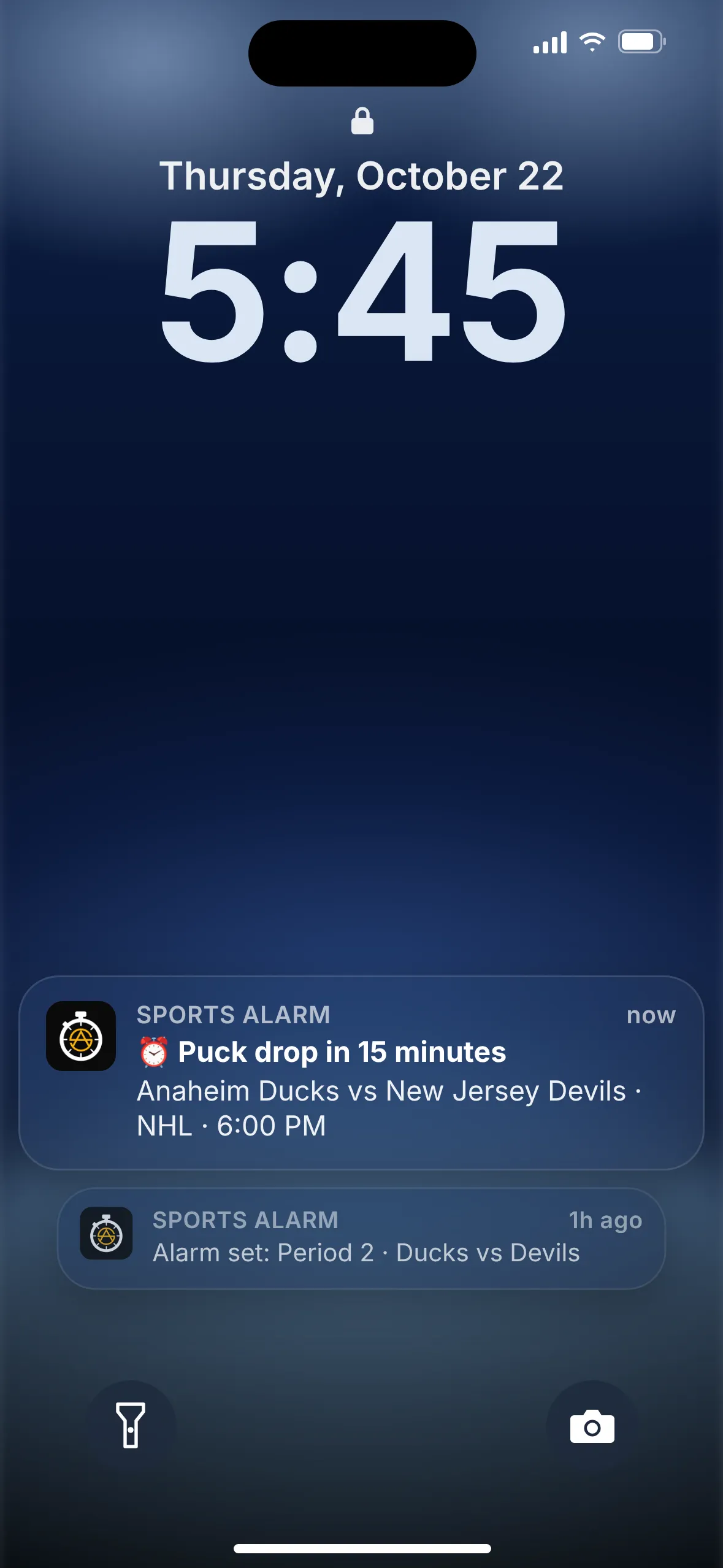
Sports Alarm sounds a loud alarm before puck drop or when the period you care about starts. Pick your game, choose your alarms, and get on with your evening. We'll tell you when it's time.


Free on iOS & Android · Rated 5.0 ★ on the App Store
Hockey moves fast, and so does the schedule
An NHL season packs in a lot of games, often on weeknights when you've got plenty else going on. Between work, dinner and everything else, it's easy to lose track of when your team takes the ice.
And hockey doesn't wait. A game can turn in a couple of minutes, and the intermissions are just long enough to wander off and forget to come back. Miss the start of a period and you might miss the goal that decides it.
Heading to overtime? Turn on the OT alert and Sports Alarm will let you know when a tied game goes to overtime, so you're back in front of the screen for the finish.
How it works in 3 steps
Setting an NHL alarm takes less time than a line change.
Pick NHL
Open Sports Alarm and choose NHL from the list of sports.
Find your game
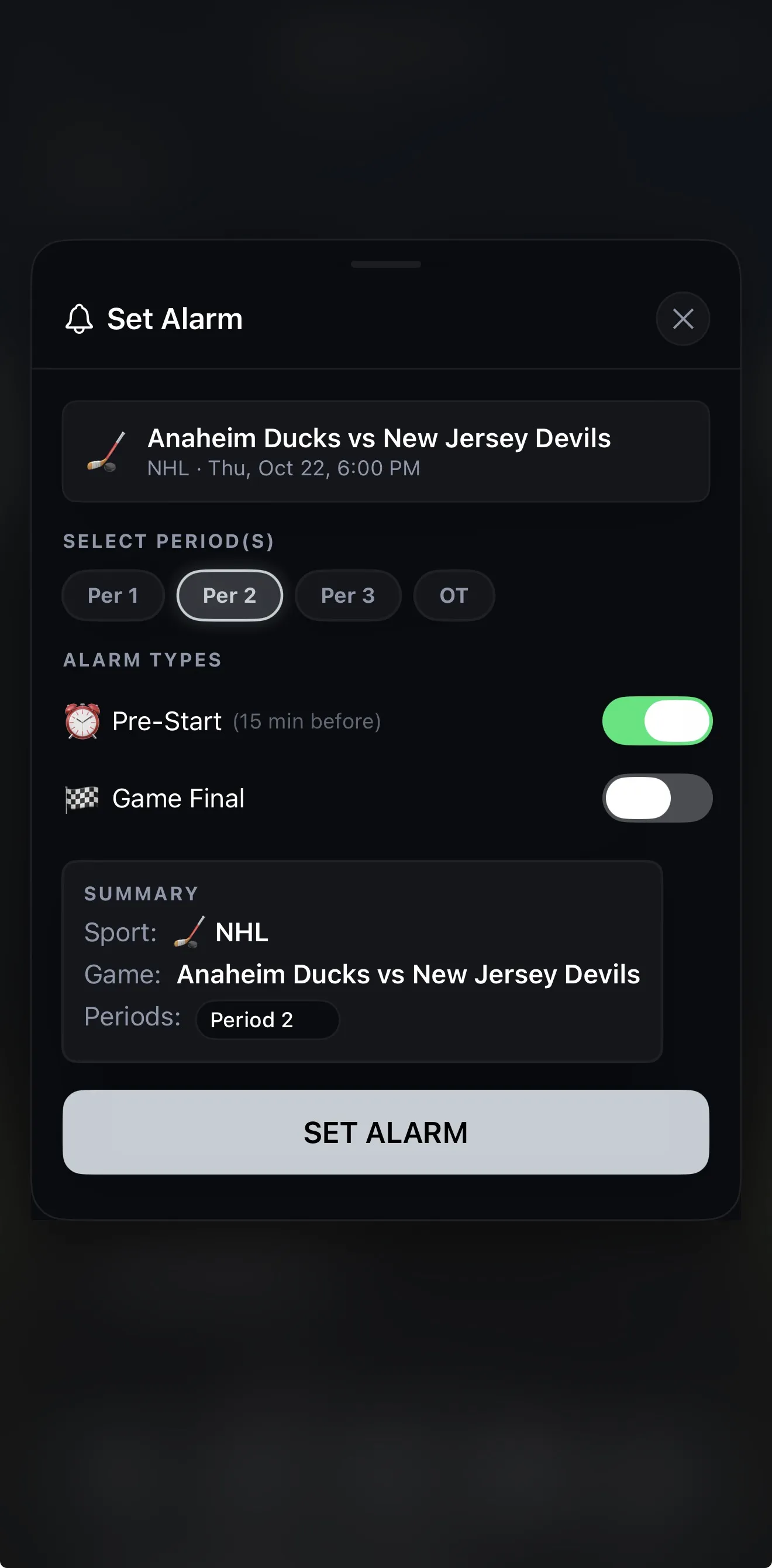
Scroll the schedule or save your teams as favorites, then tap the game you want, like Ducks vs Devils.
Choose your alarms
Turn on Pre-Start (15 minutes before puck drop), Game Final, or alerts for any period from 1 to 3 and overtime.
Built for hockey fans
Sports Alarm does one job: making sure you don't miss the moments you care about.
Puck drop, periods, final
Pre-Start and Game Final alarms for any NHL game, plus period alerts for periods 1 to 3 and overtime.
Loud enough to notice
A loud, persistent alarm, not a quiet notification that gets lost on your lock screen.
Works in the background
Our servers monitor the game and push alerts to your phone, so the app doesn't need to stay open.
Favorites
Save your teams so their games are easy to find all season long.
Live scores
Check live scores in the app, and on your Apple Watch if you wear one.
12 languages
Use the app in the language you're most comfortable with.
Step away during intermission
Grab a snack or check on the kids between periods. Pick Period 2 or Period 3, and Sports Alarm will give you a heads-up when play is starting again.
Not just hockey nights
The same alarms work across the rest of your sports calendar. Sports Alarm also covers:
NFLNBAMLBNHLMLSEPLNCAAFUFC
NHL FAQ
What NHL alarms can I set?
Pre-Start, about 15 minutes before puck drop, and Game Final, when the game ends. Turn on either or both for any game.
Can I get an alarm for a specific period?
Yes. For NHL games you can select periods 1 through 3, plus overtime, so you can be alerted when the part of the game you care about starts, like the 3rd period.
Can I be alerted if the game goes to overtime?
Yes. Select OT for a game and Sports Alarm will let you know when overtime starts.
Will the alarm go off if my phone is locked or the app is closed?
Yes. Sports Alarm's servers monitor the game and push alerts to your phone, so it works in the background. You don't need to keep the app open.
Is Sports Alarm free?
Yes. Sports Alarm is free to download on the App Store and Google Play, and it's rated 5.0 on the App Store.
Does it cover other sports?
Yes. Besides the NHL, Sports Alarm covers the NFL, NBA, MLB, MLS, the Premier League, college football (NCAAF) and UFC.

Set your puck drop alarm before the next game
Download Sports Alarm free, pick tonight's game, and let the alarm tell you when it's time.