Best Sports Alarm Apps in 2026
Most sports apps are great at telling you the score. Fewer are built to make sure you actually show up for the start of the game. This guide compares the most popular options for game alerts, and helps you pick the right one for how you watch.
Disclosure: Sports Alarm is our app. We've tried to be fair: every competitor fact below comes from that app's official store listing or help pages, linked under each section, as of October 2026.
Quick picks
- Best game-start alarm: Sports Alarm, for a loud alarm before the games you pick
- Best all-in-one sports app: ESPN, for scores, news and streaming
- Best for detailed team alerts: theScore
- Best for iPhone Lock Screen scores: Apple Sports
- Best for soccer fans: FotMob
- Best with no extra app: Following your team in Google
- Simplest DIY option: Your phone's Clock app
| App | Best for | Game-start alert | Loud alarm | Free? |
|---|---|---|---|---|
| Sports Alarm | Not missing kickoff | Yes, 15 min before | Yes | Yes |
| ESPN | All-in-one | Team alerts | Notification | Yes* |
| theScore | Detailed alerts | Team alerts | Notification | Yes |
| Apple Sports | iPhone scores | At start | Notification | Yes |
| FotMob | Soccer | Match alerts | Notification | Yes* |
| Google follow | No extra app | ~50 min before** | Notification | Yes |
| Phone Clock | DIY | Manual | Yes | Yes |
*Optional paid plans or in-app purchases. **Live updates on Android 14+ lock screens, per Google's help page. "Notification" means the app is designed around standard push notifications rather than an alarm sound.
How we picked
We looked at the apps fans actually use to keep up with games, and judged them on what matters if your goal is to catch the start:
- Game-start alerts: can it tell you a game is about to begin, not just the final score?
- How noticeable it is: a standard notification, or something loud enough to cut through a busy day or a deep sleep?
- Control: can you choose specific games and moments, or is it all-or-nothing per team?
- Coverage, platforms and price.
We only describe features we could confirm on official pages. If we couldn't confirm something, we don't claim it either way.
1. Sports Alarm: best for a real game-start alarm
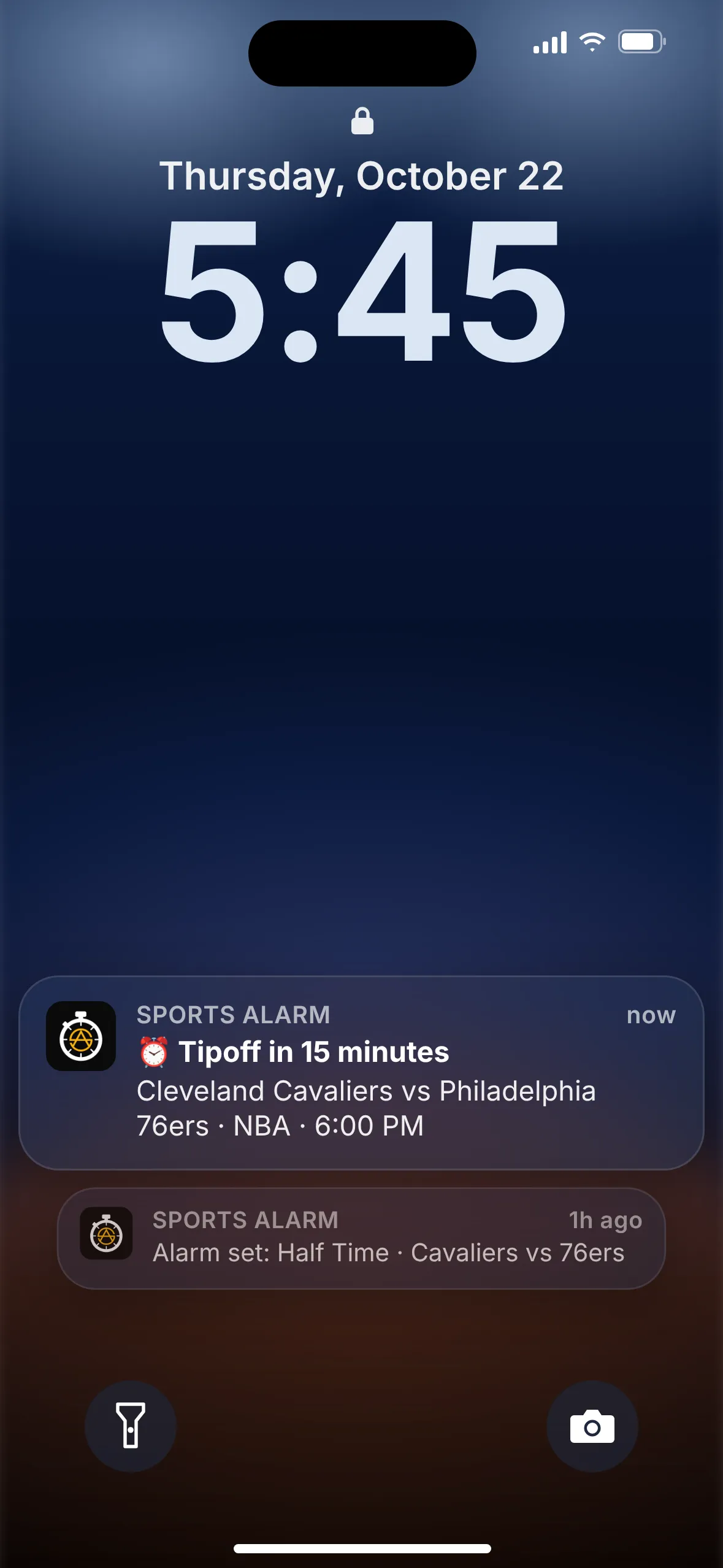
Sports Alarm does one thing: it sounds an alarm for the games and moments you choose. Pick a game and turn on Pre-Start (about 15 minutes before), Half Time or Game Final. You can also pick specific quarters, halves, periods, innings or overtime, and for UFC and MMA cards you can set Pre-Start, Fight Starting and Fight Ended alarms for each fight.
The alarm is loud and persistent, so it can wake you for an early Premier League kickoff or a late UFC main event. Our servers monitor games and push the alert, so the app works in the background. It covers the NFL, NBA, MLB, NHL, MLS, EPL, college football and UFC, with favorites, live scores, Apple Watch scores and 12 languages.
Pros
- Loud, persistent alarm instead of a quiet notification
- Pick exact games and moments, down to a quarter, inning or single fight
- Free on iOS and Android, rated 5.0 on the App Store
Cons
- Focused on alarms and scores, not news, video or streaming
- Covers eight major leagues and UFC, not every sport worldwide
Sources: App Store · Google Play
2. ESPN: best all-in-one sports app
The ESPN app is the big, everything-included option: scores, news, highlights, podcasts and live streaming. Once you log in and pick favorite teams, ESPN's help page explains you can tap each team to choose which alerts you get. Live Activities keep scores on your iPhone Lock Screen.
Pros
- Huge coverage across almost every sport
- Per-team alert settings, plus Live Activities
- Streaming, news and analysis in the same app
Cons
- Designed around notifications rather than a loud alarm
- Many features and ads to wade through; streaming needs a paid plan
Sources: App Store listing · ESPN Fan Support: Alerts · ESPN app page
3. theScore: best for detailed team alerts
theScore is fast, free and built around a personal feed of your favorite teams, players and leagues. Its store listing promises "real-time scoring updates and alerts" across major leagues from the NFL to UFC, and recent updates make notifications open straight into the matchup page.
Pros
- Fast, detailed scores and stats
- Alerts for teams, players and leagues
- Free, with iPhone, iPad and Apple Watch support
Cons
- Designed around notifications rather than a loud alarm
- Includes advertising and betting-related features
Sources: App Store listing
4. Apple Sports: best for iPhone Lock Screen scores
Apple's free app is clean and quick. You follow teams and leagues, and Apple's release notes say you can follow upcoming events so that "when the event kicks off, you'll see Live Activities on your Lock Screen." Widgets show scores and schedules on your Home Screen.
Pros
- Simple, no clutter, free
- Live Activities start when the game kicks off
- Wide league coverage, including lots of soccer
Cons
- iPhone only (iOS 18 or later)
- The heads-up arrives at kickoff rather than before it, and it's a Live Activity, not an alarm
Sources: App Store listing and version history
5. FotMob: best for soccer fans
If you follow soccer, FotMob is a favorite: 400+ competitions, instant goal alerts, personalized alerts for clubs and players, xG stats, TV schedules and audio commentary. It's free, with optional in-app purchases such as removing ads. For a loud alarm before a match, see our Premier League kickoff alarm.
Pros
- Deep soccer coverage and stats
- Personalized match and goal alerts
- TV schedules so you know where to watch
Cons
- Soccer only
- Designed around notifications rather than a loud alarm
Sources: App Store listing
6. Google: best if you don't want another app
Search for your team in the Google app and tap Follow. Google says live updates then appear on your Android lock screen for every game, starting about 50 minutes before (Android 14 and up). On iPhone you can pin a live score as a Live Activity, with the button appearing an hour before the game.
Pros
- Nothing new to install
- Updates start before the game on supported Android phones
Cons
- Availability varies by device, language and country (Follow is US-only per Google)
- A live score update, not an alarm
Sources: Android Help · Google Search Help (iPhone)
7. Your phone's Clock app: the DIY option
You can always look up the start time and set a regular alarm. It's free, loud and reliable, and it's perfectly fine for one big game a week.
Pros
- Already on your phone and definitely loud
- No account or setup
Cons
- You have to find and convert every start time yourself
- It doesn't know about delays or reschedules, and can't alert at halftime or the final
Sources: Built-in phone feature
Which should you choose?
- You keep missing kickoff, or need to wake up for early games: Sports Alarm. Set a Pre-Start alarm and forget about it.
- You only want to tune in for the end: Sports Alarm's quarter, period or inning alarms, for example the 4th quarter of an NFL game or the 3rd period in the NHL.
- You want news, highlights and streaming in one place: ESPN.
- You follow every play and stat: theScore.
- You're on iPhone and want a tidy score tracker: Apple Sports.
- Soccer is your sport: FotMob for stats, plus Sports Alarm for EPL and MLS kickoffs.
- You don't want another app: Follow your team in Google, or set a Clock alarm.
Plenty of fans use two: a score app for the details, and Sports Alarm so they never miss the start.
FAQ
What is the difference between a game alarm and a score notification?
A score notification is a normal push alert: it shows up on your lock screen with your phone's usual notification sound and is easy to miss. A game alarm is designed to get your attention, with a loud, persistent alarm sound, so you notice it even if you're busy or asleep.
Which app is best if I just want to know when the game starts?
If you want a loud alert before kickoff or tip-off, Sports Alarm is built for exactly that: a Pre-Start alarm about 15 minutes before the game. If a quiet heads-up is enough, ESPN, theScore, Apple Sports and Google's team follow feature are all good free options.
Can an app wake me up for an early game?
Yes. Sports Alarm uses a loud, persistent alarm sound that can wake you, which helps with early Premier League kickoffs or international NFL games. You can also set your phone's Clock alarm manually, but you'd have to check the start time yourself.
Are these apps free?
All the apps in this list are free to download. Sports Alarm is free on iOS and Android. ESPN offers paid streaming plans, and FotMob offers optional in-app purchases such as removing ads, but their scores and alerts are available in the free apps.
Does Sports Alarm work when the app is closed?
Yes. Sports Alarm's servers monitor games and push alerts to your phone, so it works in the background and you don't need to keep the app open.